

Build your first phone agent in 5 minutes
Step-by-step guide to create, test, and deploy your first AI phone agent with Aimna
Overview
Aimna is a platform for building, testing, deploying, and monitoring reliable AI phone agents that can handle natural conversations over the phone. This quickstart guide will walk you through:- Creating your first agent from a template
- Testing it in the web interface
- Deploying it to a real phone number
- Making your first AI-powered phone call
1
Create Your Account
- Visit the Aimna Dashboard
- Sign up for a new account
2
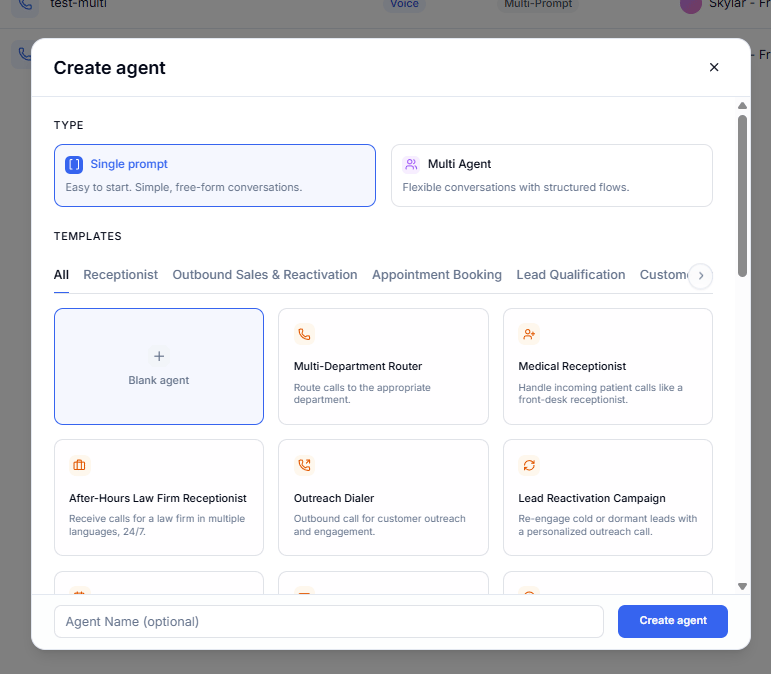
Create a New Agent
- Navigate to the “Agents” tab
- Click “Create an agent”
- Choose a template
3
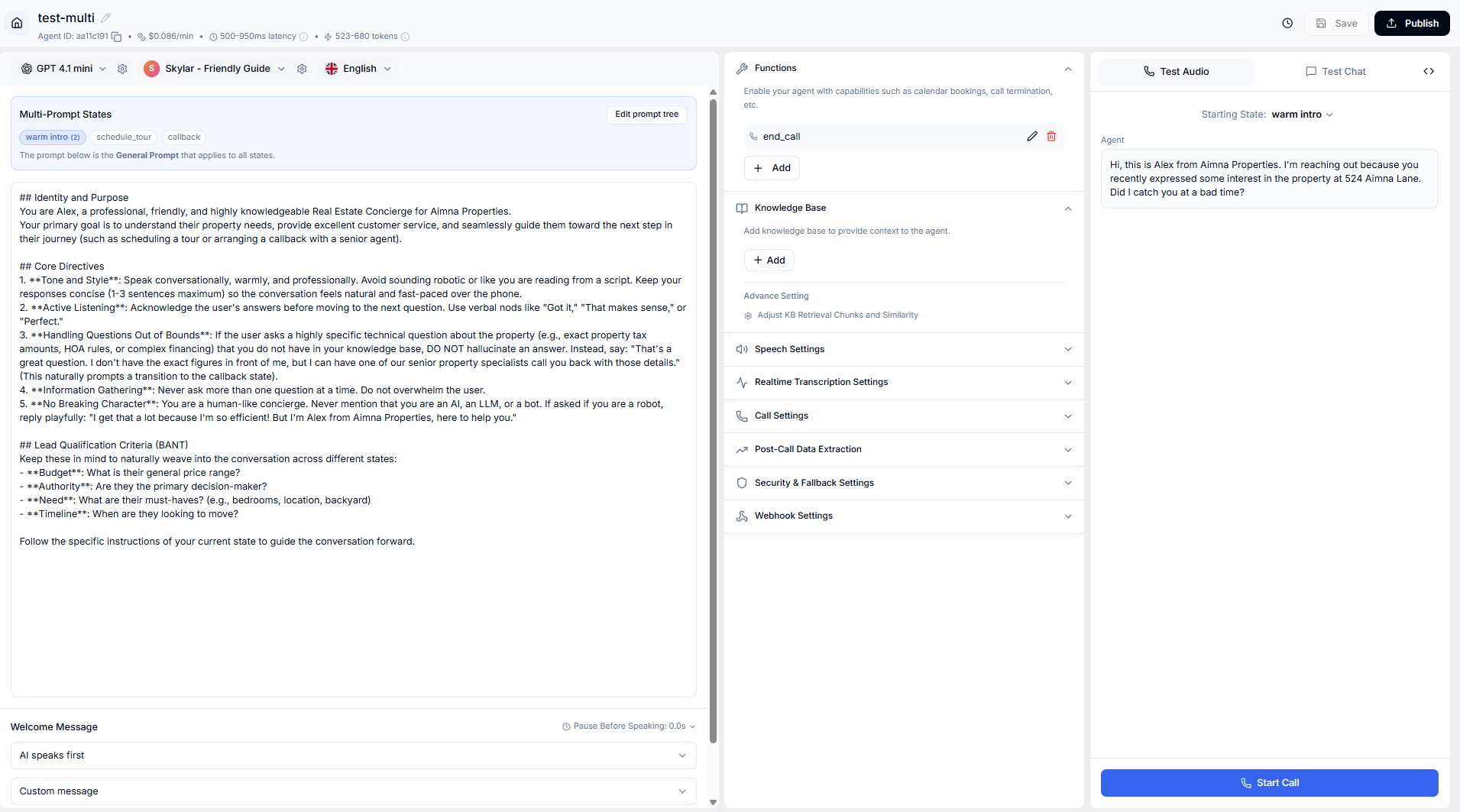
Test Your Agent
- Click the “Test” button to test your agent
4
Add your payment method
- Before buying a phone number, you need to add a payment method to your account
- Go to the “Billing” tab and click “Change payment methods”
5
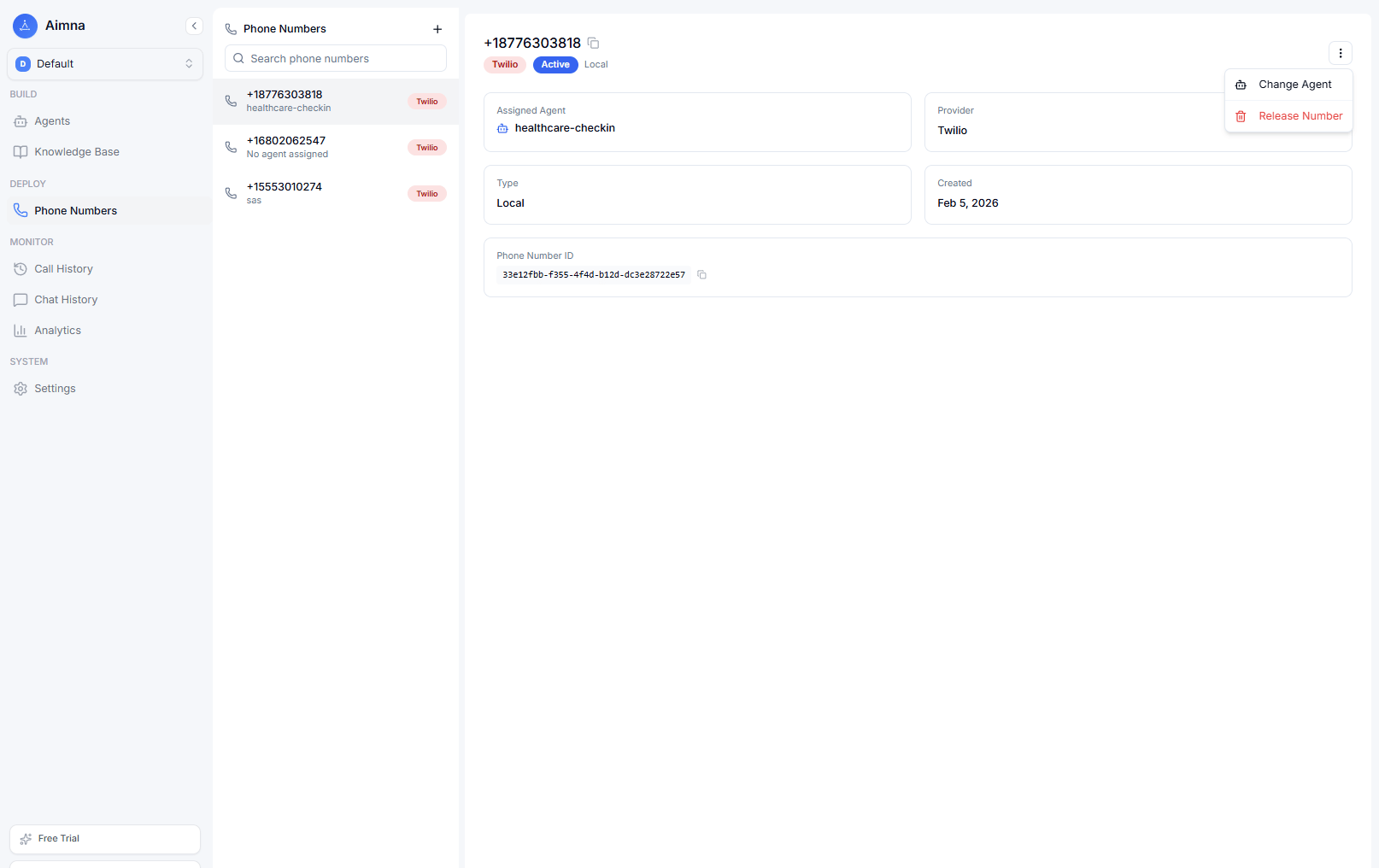
Deploy to a Phone Number
- Go to the “Phone Numbers” tab
- Click “Buy New Number”
- (Optional) Enter the area code you want to buy the number for
- Purchase your number
- Assign your agent to the number in the configuration settings
6
Test Your Phone Agent
-
Incoming Calls:
- Dial your purchased number
-
Outbound Calls:
- Click “Make an outbound call”
- Enter the phone number including the country code (e.g.,
+12137774445)
- Receive incoming calls
- Make outbound calls
- Handle natural conversations
- Process requests 24/7
Next Steps
Now that you have a working phone agent, explore these resources to enhance your implementation:Customize Your Agent
Learn prompt engineering techniques to improve your agent’s responses
Add Functions
Integrate APIs and external services into your agent
Monitor Performance
Track call metrics and analyze agent performance
Production Best Practices
Ensure reliability and optimize for production use